
Home / Buying guide
The complete Oopbuy buying guide
Eleven official stages, with the matching screens and the decisions to make before you move on.
The official Tutorial uses the 2024 interface. These reviewed images include privacy-edited renditions. Prices, promotions and layout are historical examples; current account controls may differ. Official tutorial.
01 / 11
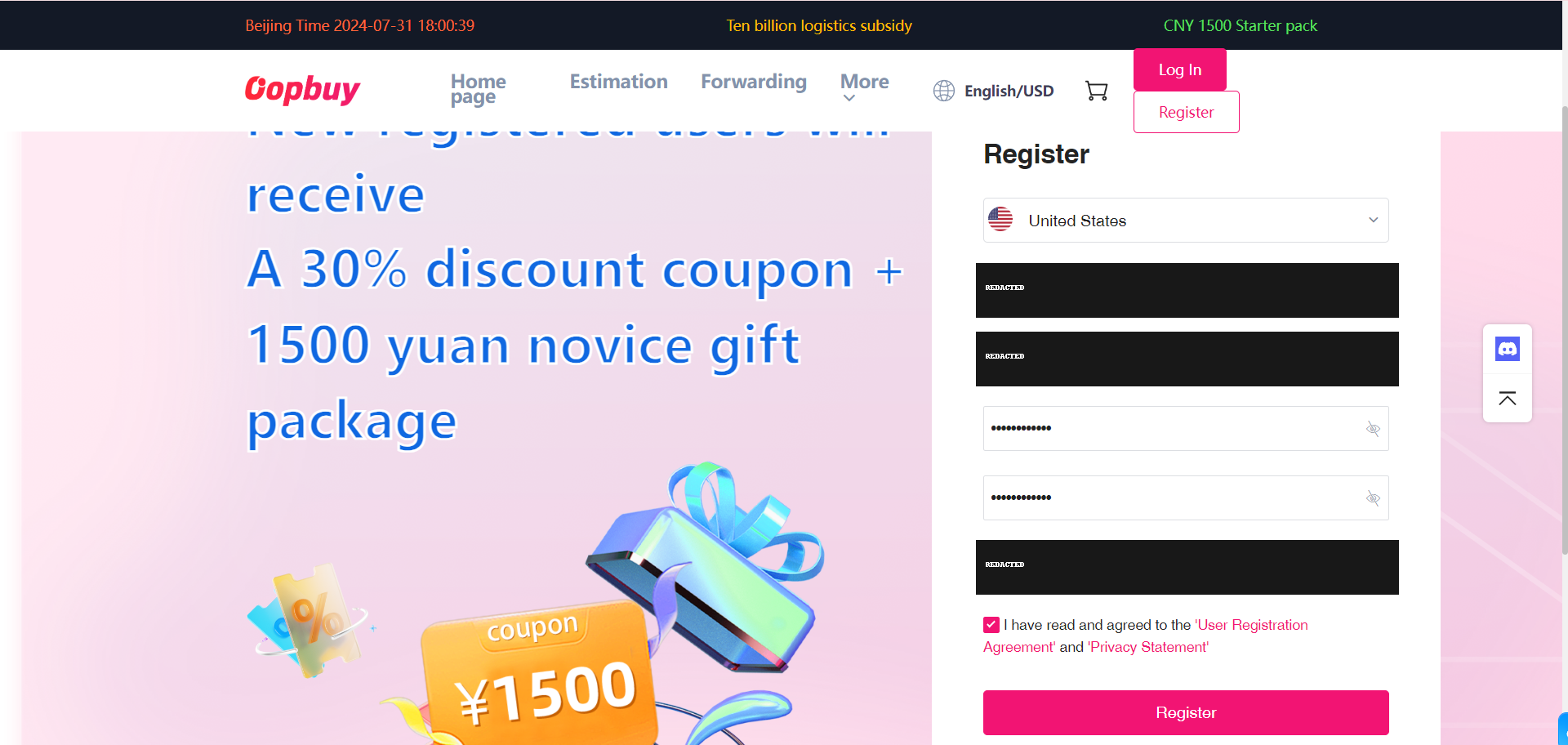
Open your own account
Register on the agent’s site and check that you control the email and account settings. Keep passwords, wallet balances and order identifiers private. Browsing the Spreadsheet is separate from registration: a saved product link is not an order, and no goods are bought until you confirm a purchase.
02 / 11
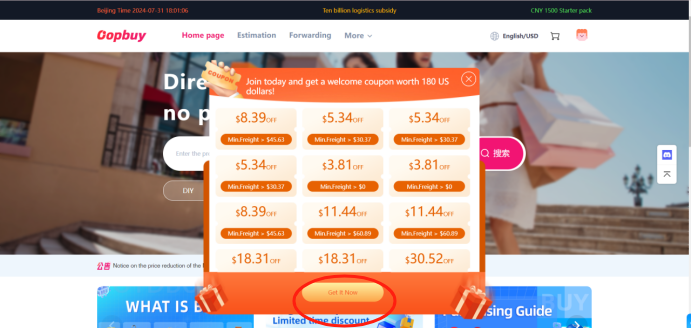
Check the coupon before counting savings
The official sequence visits coupons next. Read what the offer can pay for, the minimum spend, eligible route and expiry. A shipping coupon normally belongs to the later parcel decision; it should not be subtracted from the first goods bill without checking its conditions.
03 / 11
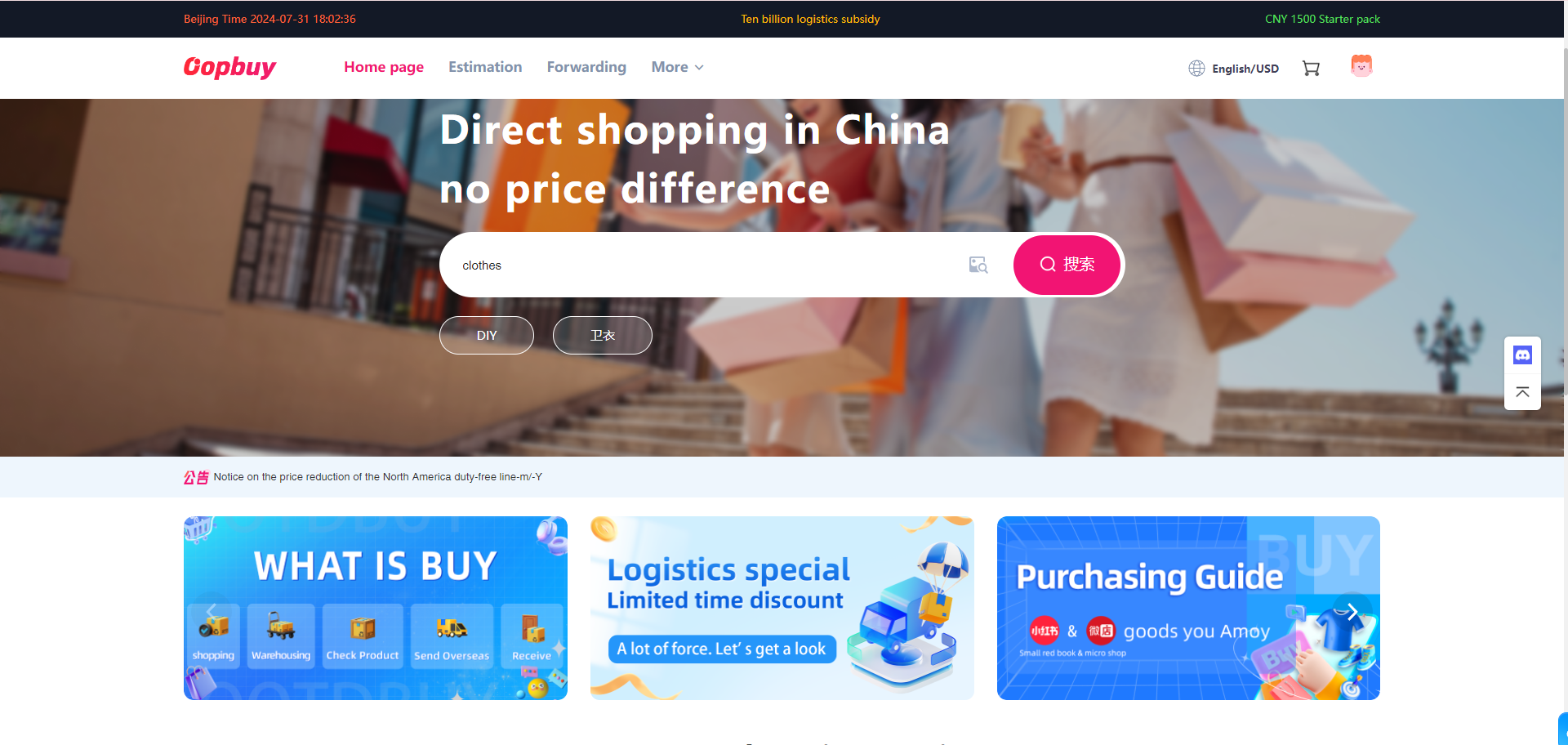
Find the exact seller listing
Copy the original product URL into Oopbuy’s search field and compare the captured product with the listing. A similar-looking result can belong to another seller or version. If the link cannot be read, confirm the supported manual-order process before paying for a substitute.
04 / 11
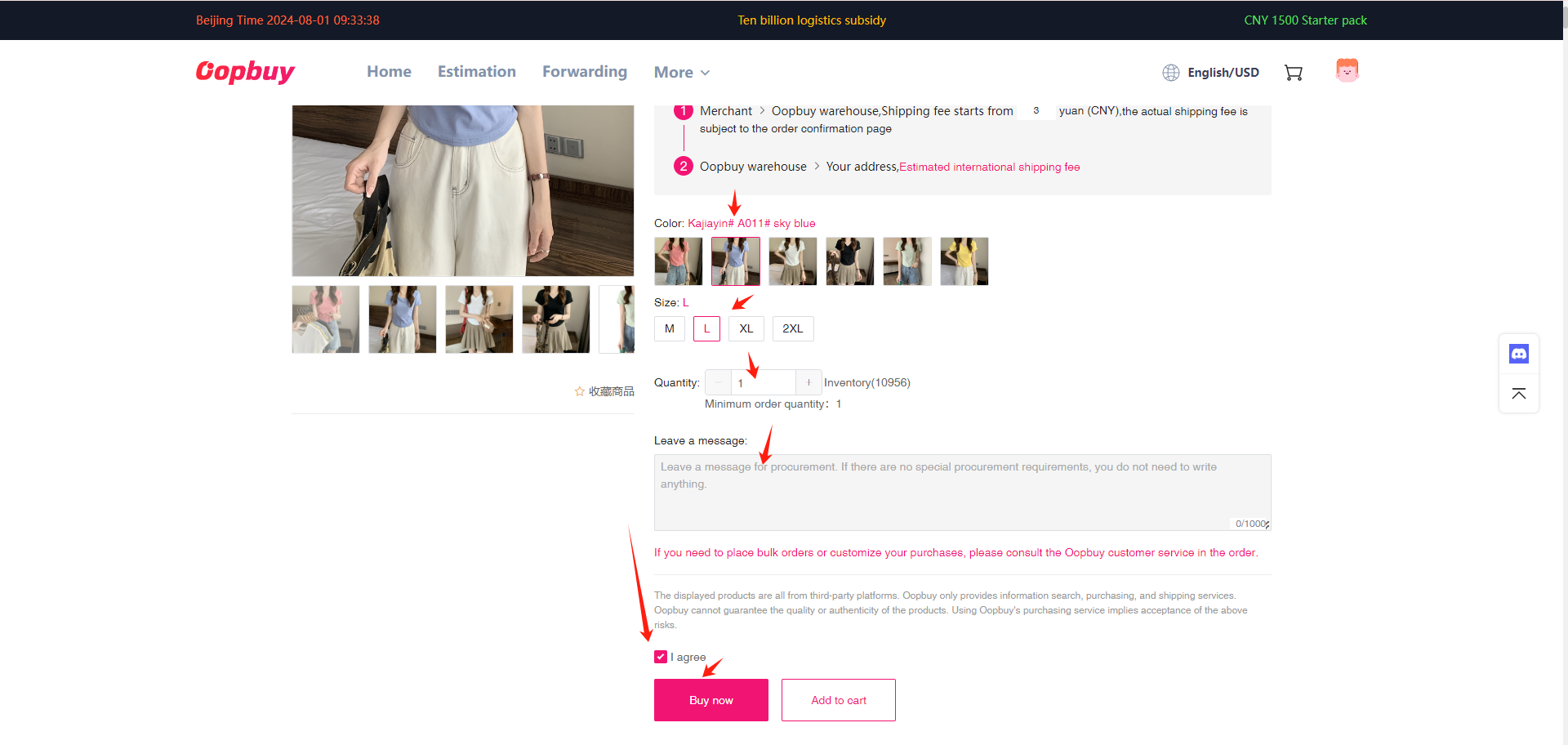
Choose the variant with a record to compare
Select size, colour, version and quantity, then save the chosen option and any seller measurements. For clothing, measure a garment that fits using the same measurement points. The warehouse can photograph a label, but the label alone does not show whether the garment fits you.
05 / 11
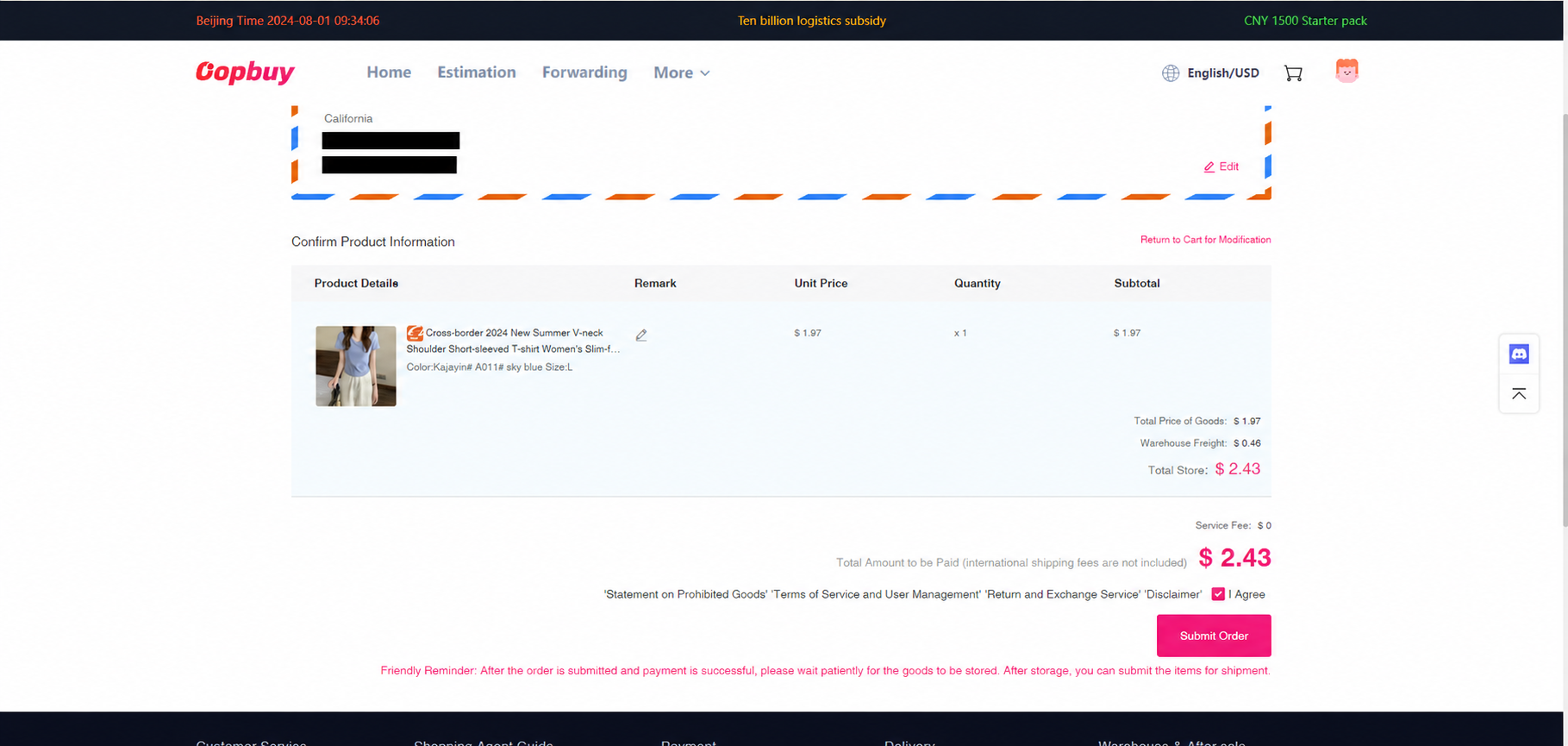
Pay for the goods and domestic journey
Review item price, domestic delivery, quantity and remarks. Check how much money is credited when funding the account and which fee or conversion applies. International shipping comes later; buying an item does not establish its final packed dimensions or reserve a route.
06 / 11
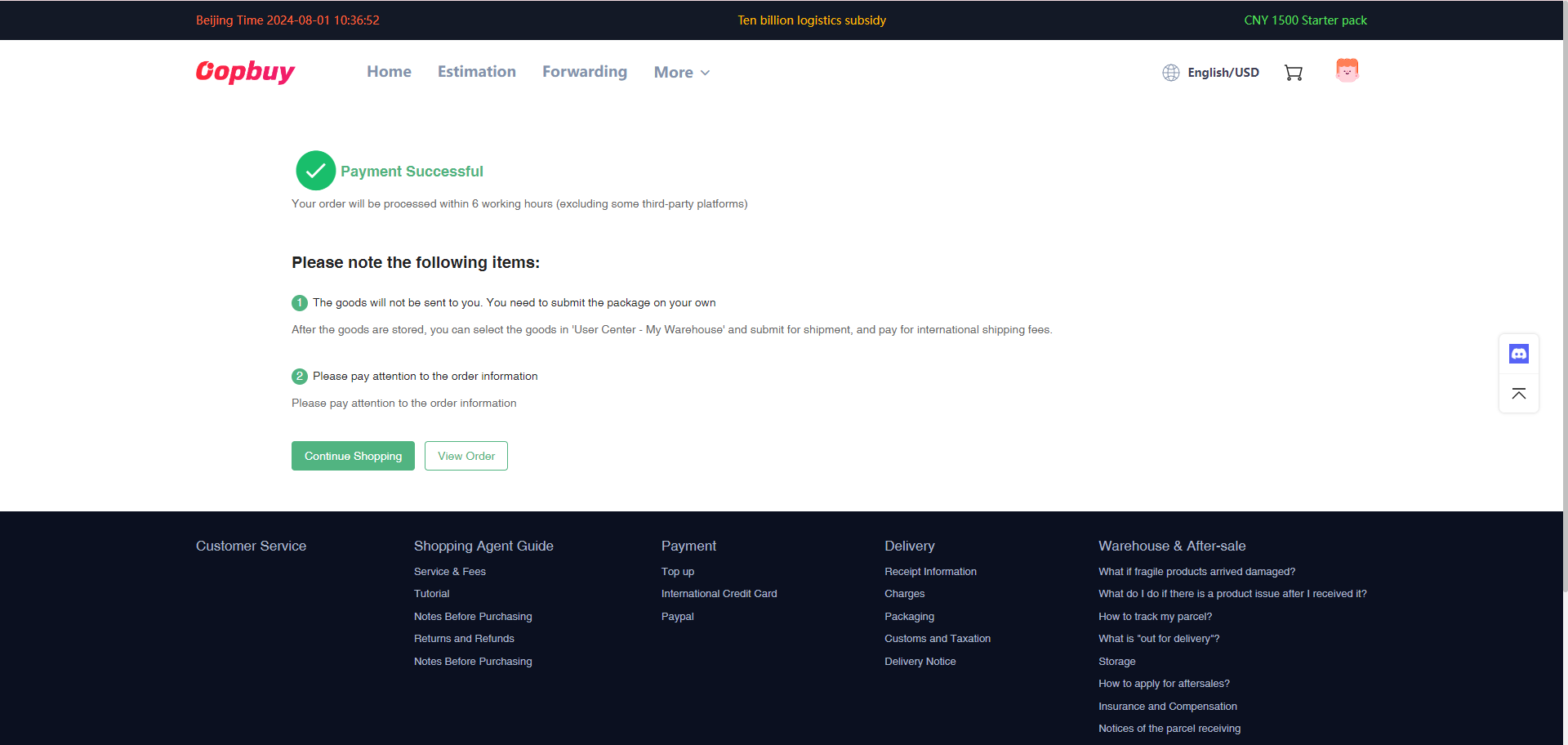
Follow purchase and seller dispatch
Use the order record to distinguish buying, seller shipment and warehouse receipt. Ask about a delayed item through its order conversation and preserve the original option when discussing a replacement. A second item that has not arrived does not pause the first item’s return or storage clock.
07 / 11
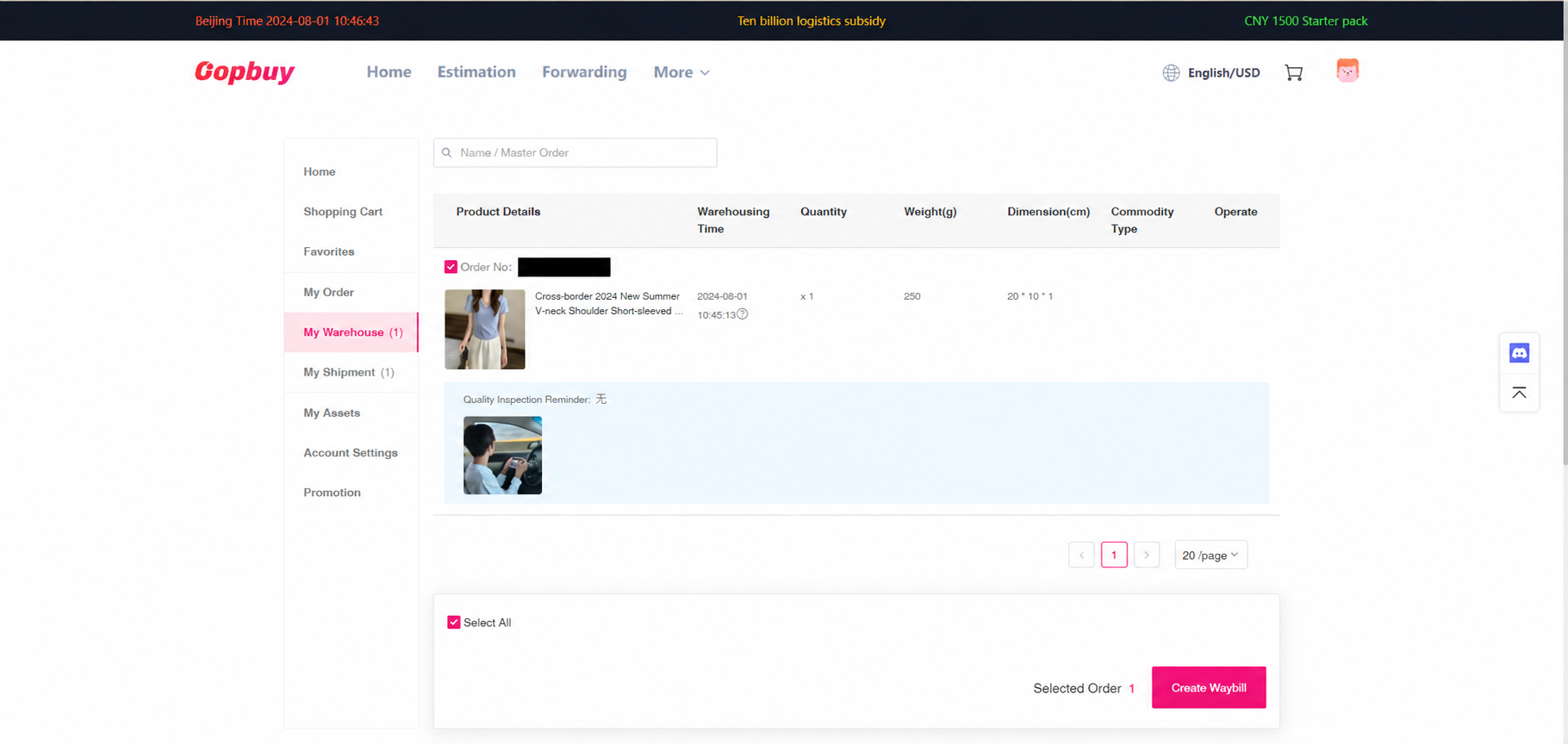
Inspect the warehouse items before making a parcel
Open each item and compare actual QC with the saved order. Check quantity, colour, size label and visible condition; request a particular view when necessary. Returns are conditional and time-sensitive. Record stock-in and received status separately, since the return and storage rules use different events.
08 / 11
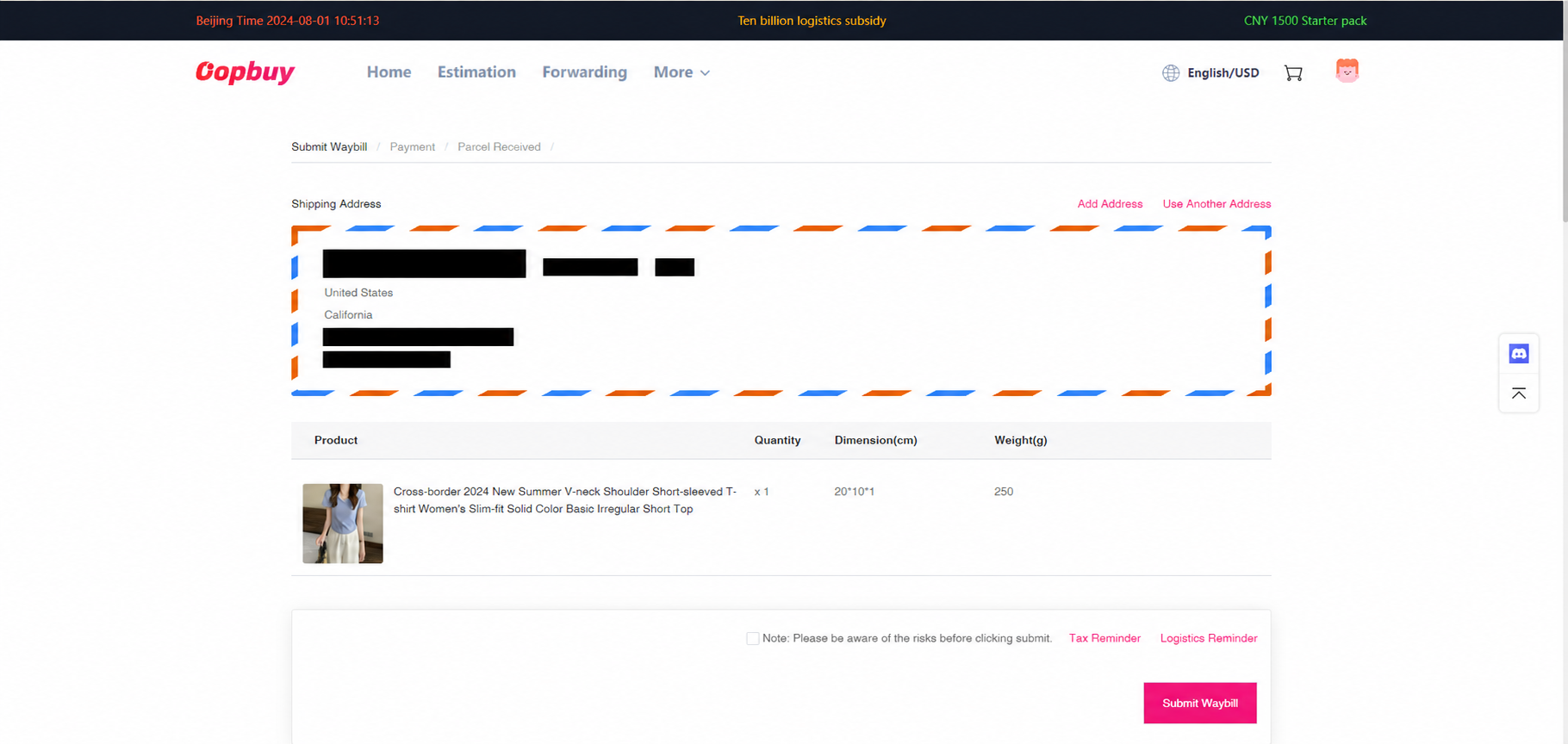
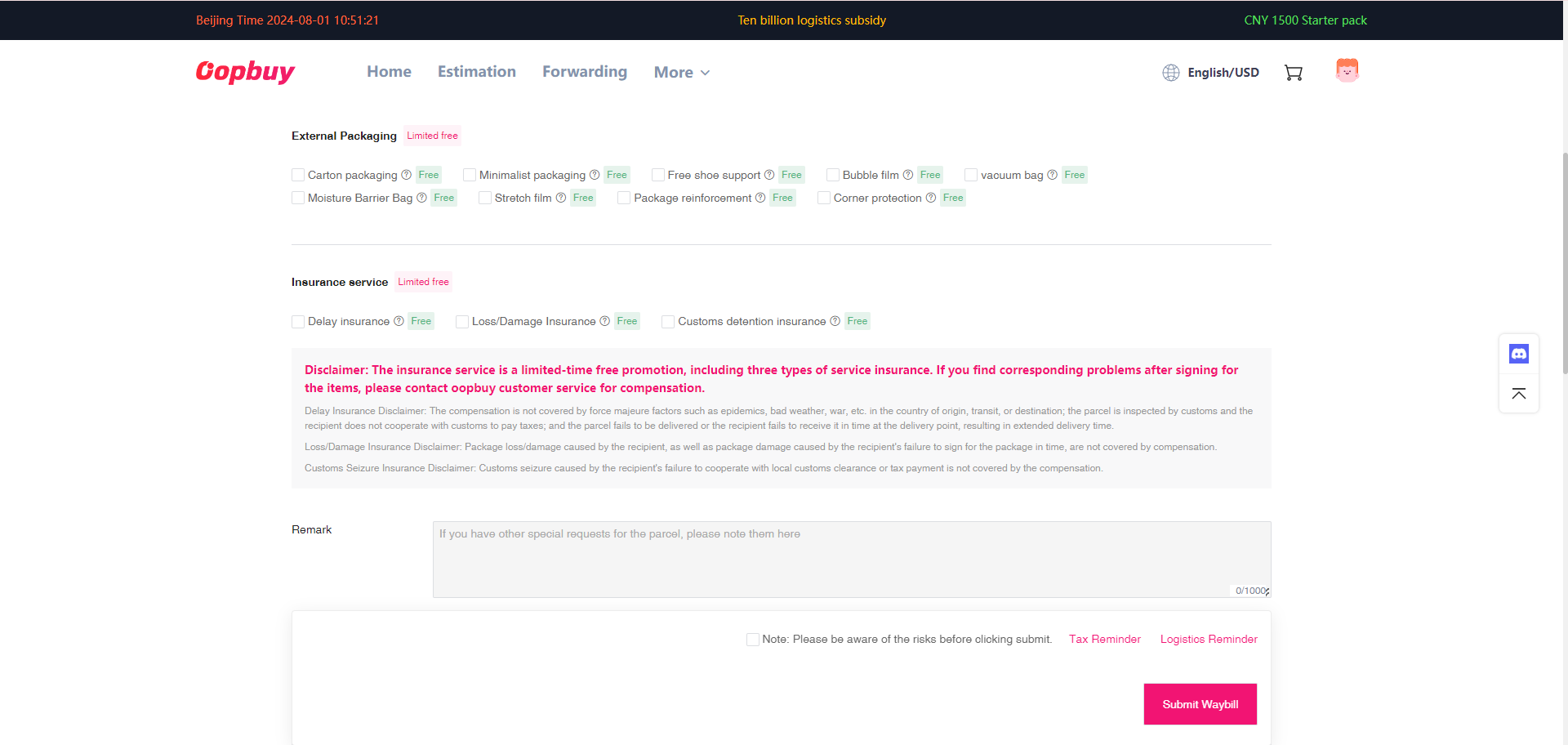
Confirm recipient, packing and protection
The official guide shows three frames here: recipient and goods, packing and protection, then checkout. Confirm the full address, all parcel contents and the route’s restrictions. Removing boxes may reduce volume but can reduce protection and affect a possible return; make that choice while it is still reversible.
09 / 11
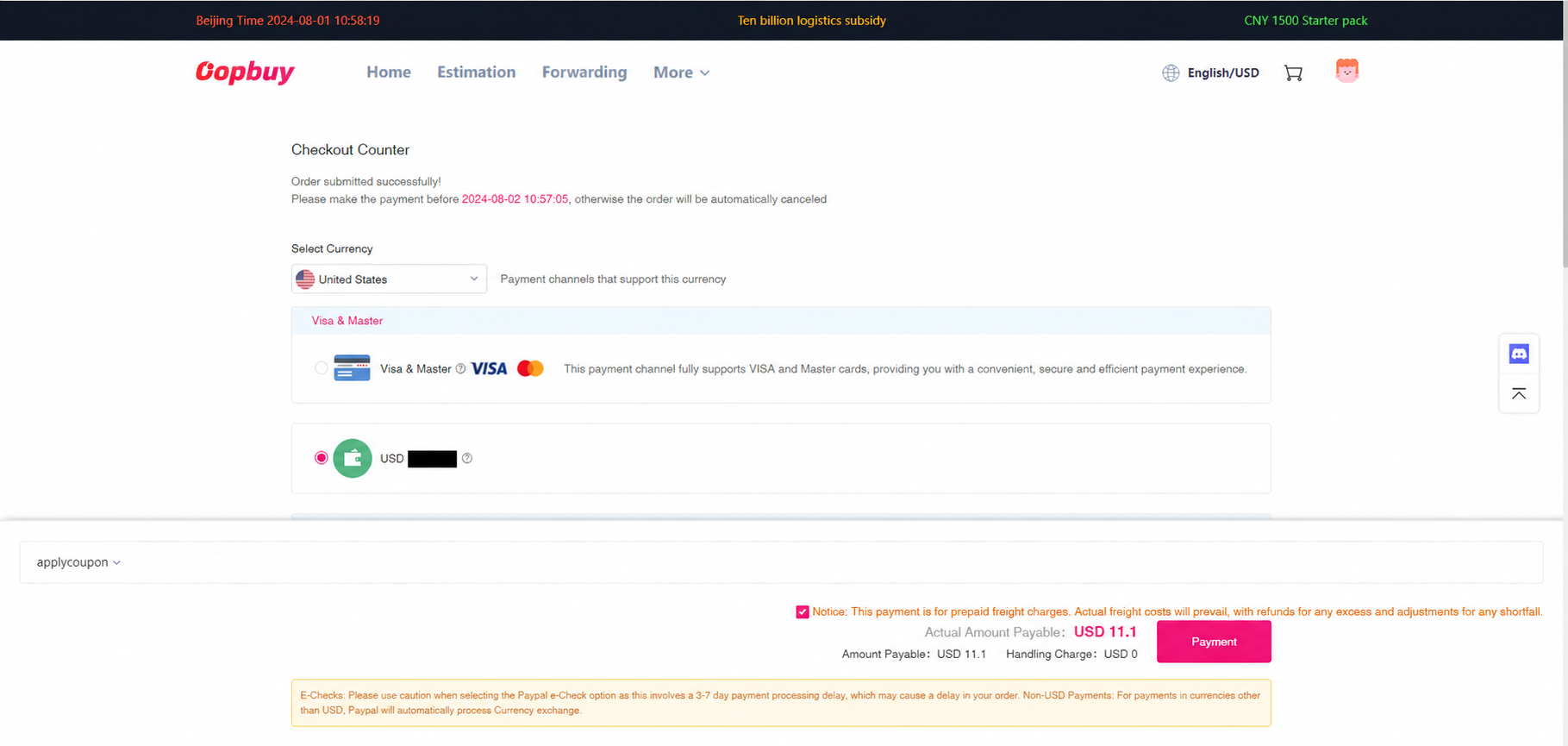
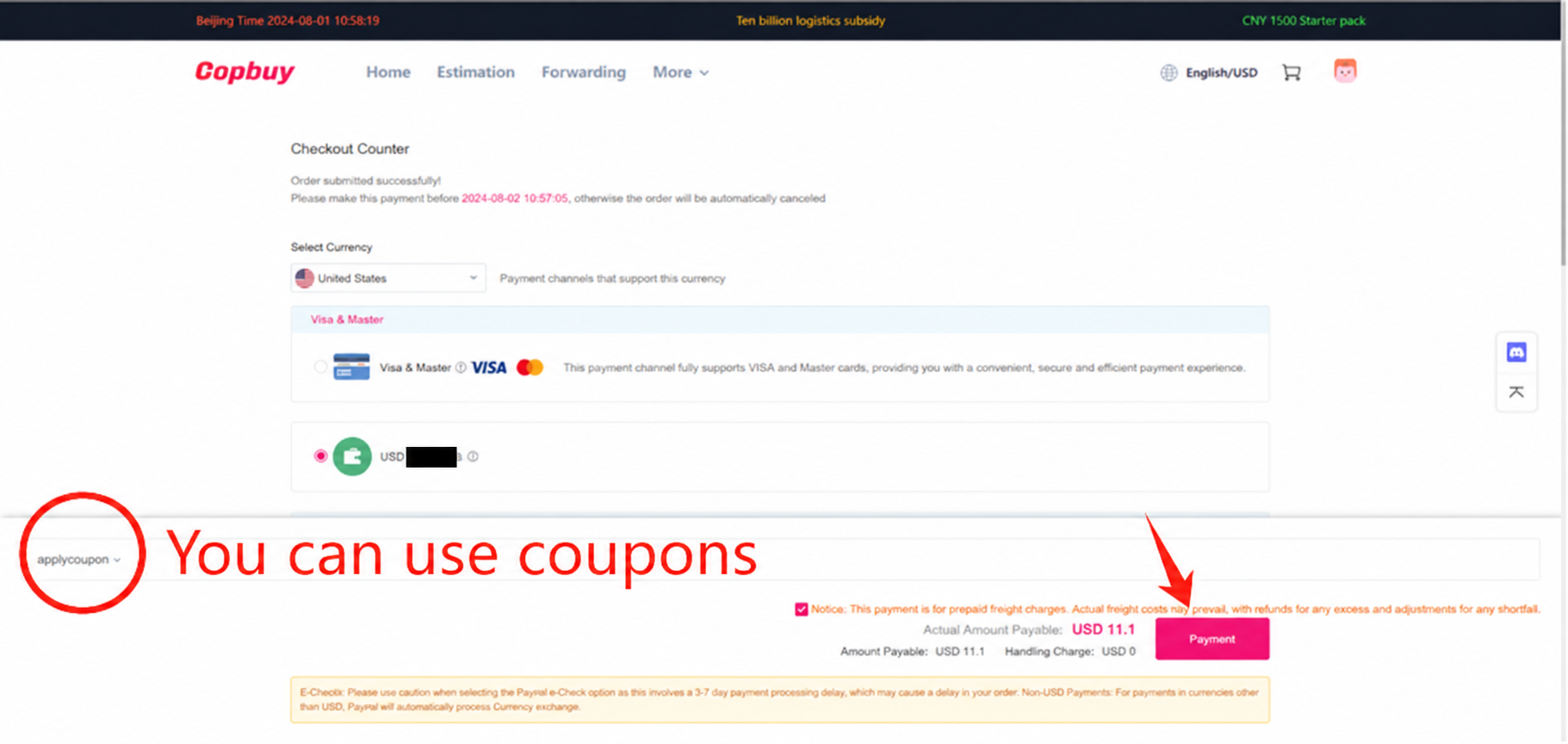
Pay the estimated international charge
Review the shipping line, delivery range, included services and applicable coupon. Save the estimate and selected packing options. It is a planning amount that can be reconciled after packing; the tutorial’s values and offers do not quote today’s charge for your goods.
10 / 11
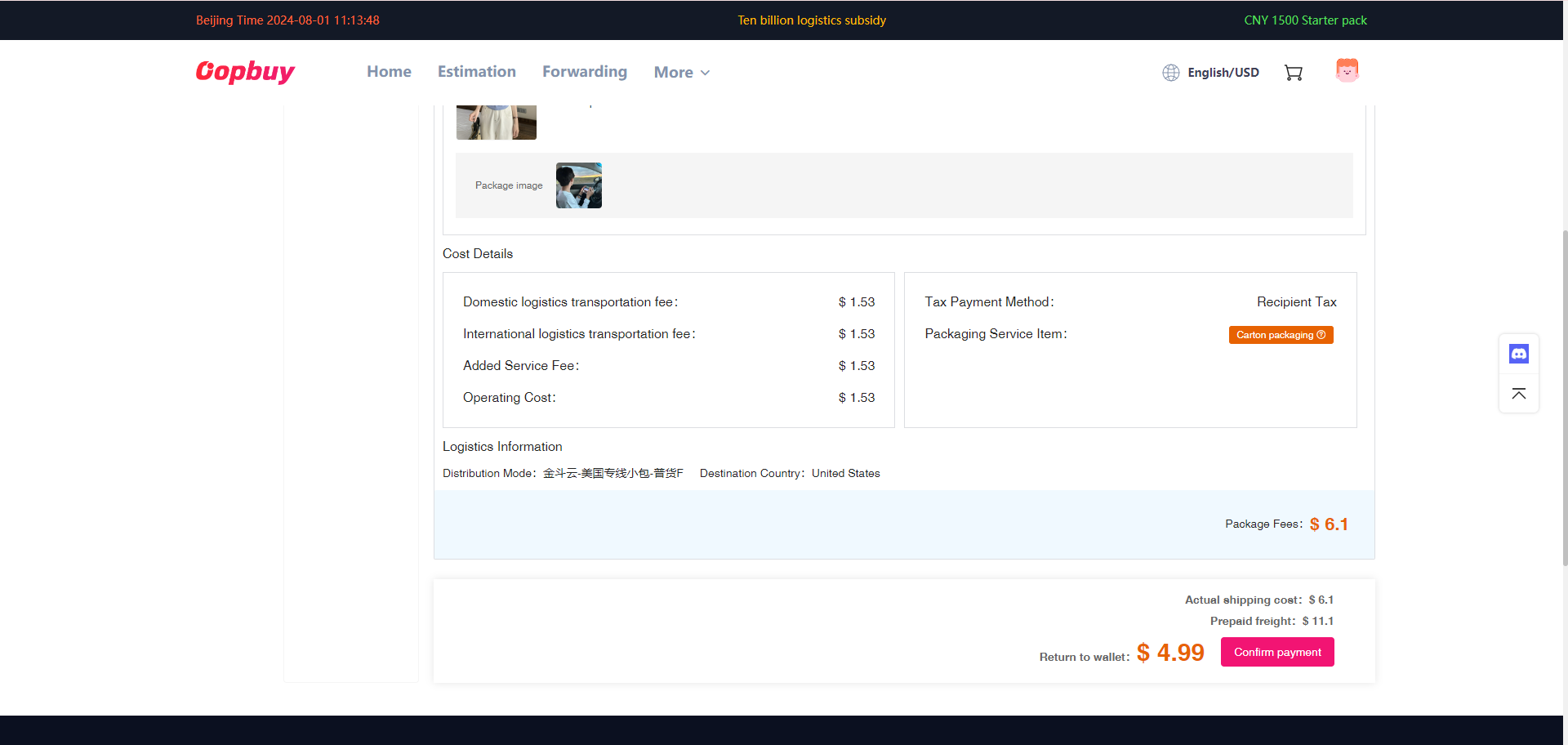
Compare the packed result with the estimate
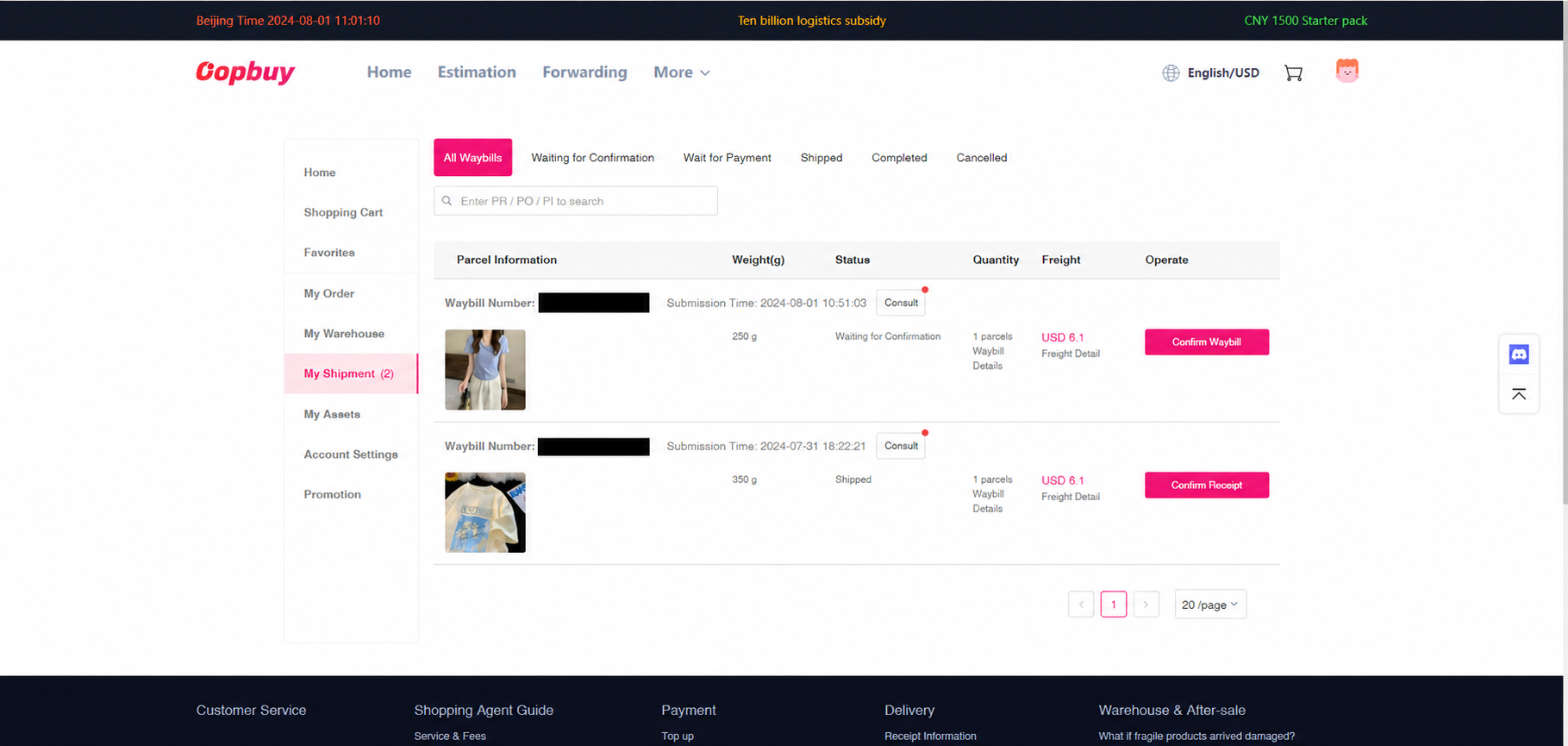
Read the final outer dimensions, measured weight, billed weight and extras. Different routes can use different divisors and rounding. Ask about an unexplained adjustment before assuming a price changed arbitrarily. An account credit after settlement is separate from returning money to a card or bank.
11 / 11
Track dispatch and inspect what arrives
A tracking number can be created before the carrier takes the parcel. Follow the scan history, respond to requests through the relevant support channel and keep packing and labels until checking the contents. Record damage or a shortage promptly and use the conditions and deadlines attached to the actual service.
Choose the help that fits the problem
A seller delay belongs with the purchase record; a missing measurement belongs with an item photo request; a shipping delay belongs with the parcel and its carrier scans. Keep the evidence and deadline for each separate.
QC and return decisions · Cost and delivery notes · Help centre